
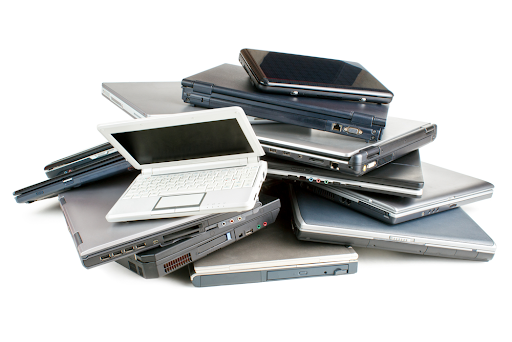
A computer can become outdated without becoming completely useless. Businesses regularly replace desktops because newer systems offer better performance, security, compatibility, or energy efficiency, but the machines being replaced may still contain components with practical or financial value. This is why companies searching for an IT scrap buyer in Ras Al Khaimah should look beyond the age of their equipment and consider what each system actually contains.
The value of an old PC can depend on its processor, memory, storage, graphics hardware, condition, brand, model, and overall configuration. Even a machine that no longer meets a company’s current requirements may contain parts that remain useful elsewhere. Instead of treating every retired computer as identical waste, businesses can assess the equipment individually or as a collection to understand its potential more clearly.
Age Is Only One Part of the Equation
People often assume that an older computer automatically has little or no value. In reality, age is only one factor in determining what a system may be worth. A relatively old workstation with a capable processor, sufficient RAM, and useful storage can sometimes be more attractive than a newer entry-level machine.
Market demand also changes over time. Certain components may remain useful for repairs, upgrades, testing environments, or secondary systems even after the original computer has become outdated. This means a business should avoid making a final decision based solely on the purchase date printed on an invoice or the age of the operating system.
Specifications Tell a Bigger Story
Two desktop computers can look almost identical from the outside while having very different specifications inside. Processor generation, RAM capacity, storage type, graphics capabilities, motherboard configuration, and expansion options can all influence the potential value of a system.
Before contacting an IT scrap buyer in Ras Al Khaimah, businesses can therefore create a simple equipment list containing model numbers and available specifications. This information makes it easier to distinguish ordinary office desktops from higher-specification workstations or systems containing components that may have greater resale or recovery potential.
Working Condition Changes the Conversation
A fully functioning computer generally offers different possibilities from one that cannot power on. A working PC may potentially be reused or resold, while a non-working system may be evaluated mainly for its individual components and recyclable materials. However, even a faulty machine should not automatically be considered worthless.
The type of fault matters. A system with a failed power supply may still have usable memory, storage, processor, or other components. Physical damage, missing parts, corrosion, or liquid exposure can have a different impact. An assessment based on the actual condition can therefore provide a more accurate picture than simply placing equipment into a “working” or “broken” category.
Not All Office PCs Have the Same Purpose
Business computers are purchased for specific workloads, and their potential after retirement can vary accordingly. A basic desktop used for email and administrative tasks may have a different configuration from a workstation designed for engineering, design, development, or other demanding applications.
Workstations may contain higher-performance processors, additional memory, dedicated graphics cards, larger storage configurations, or other components that can influence their assessment. Keeping these systems identified separately during an office clearance can help prevent potentially useful hardware from being mixed into a general pile of outdated equipment.
The Components Inside Can Matter
When a complete PC is no longer suitable for business use, individual components may still attract interest. Memory modules, processors, storage drives, graphics cards, motherboards, power supplies, and other parts can potentially be evaluated separately depending on their condition and demand.
This is particularly relevant for businesses clearing equipment in larger quantities. One individual outdated desktop may not seem significant, but a collection containing dozens of machines can represent a considerable volume of recoverable hardware. The combined condition and specifications of the equipment can therefore matter when arranging a bulk assessment.
Data Security Comes Before Valuation
There is one issue that should always be addressed before discussing the commercial value of old computers: the information stored on them. Business desktops can contain confidential documents, customer information, employee records, credentials, financial files, and other sensitive material.
Before equipment is transferred, organisations should follow their internal data-erasure and security procedures. Storage devices should be identified and processed appropriately, and businesses should maintain records of equipment that has been cleared. A financially useful computer is not worth compromising information security, so data handling should remain a separate priority throughout the clearance process.
Quantity Can Influence the Practical Process
A company selling three desktops has a different logistical challenge from a business clearing several hundred machines. Large quantities require planning for inventory, storage, transportation, and collection. Without a structured process, equipment can remain in warehouses long after employees have moved to newer systems.
Bulk purchasing can provide a practical route for organisations with substantial quantities. Current purchasing information for Ras Al Khaimah includes desktops, laptops, servers, networking equipment, and other IT hardware, with services designed to handle business quantities as well as individual equipment.
Do Not Forget the Accessories
A desktop clearance can involve much more than computer towers. Monitors, keyboards, mice, cables, adapters, power supplies, docking equipment, and other accessories may all be part of the equipment being retired. Keeping these items organised can make the assessment and collection process easier.
Accessories can also help identify individual systems. When cables, power adapters, and peripherals are separated from the equipment they belong to, it may become difficult to determine which items form a complete setup. Labelling and grouping equipment before collection can reduce unnecessary confusion during a large office clearance.
Prepare an Honest Equipment List
Businesses do not need an elaborate technical report to begin the process. A straightforward inventory containing quantities, model numbers, specifications where available, and working condition can provide a useful starting point. Photographs can also help communicate the physical condition of larger collections.
It is important that the information reflects the actual condition of the equipment. If several computers have cracked cases, missing drives, faulty power supplies, or other issues, those details should be recorded rather than overlooked. Clear information helps create more realistic expectations and can make the eventual inspection considerably smoother.
When Should an Old PC Be Cleared?
There is no universal age at which every computer should be sold or recycled. The right time depends on whether the system still meets operational requirements, whether it receives necessary security support, and whether keeping it provides a meaningful benefit to the organisation.
Once a computer is no longer required, however, leaving it unused indefinitely rarely improves the situation. Components can deteriorate, equipment can become harder to identify, and storage space remains occupied. A planned clearance gives businesses an opportunity to deal with retired systems while their condition and records are still clear.
Look at the Collection as a Whole
The most useful way to approach old office computers is not to ask whether each individual machine is “old” but to understand what the complete collection represents. A group may contain working desktops, faulty systems, high-specification workstations, monitors, networking devices, and spare components. Each category can have different possibilities.
For businesses looking for an IT scrap buyer in Ras Al Khaimah, this broader approach can simplify the process. An organised inventory, secure data handling, realistic condition assessment, and a clear collection plan can turn a complicated technology clearance into a manageable business task.
Conclusion
Retired office computers do not all have the same value, and their age alone does not tell the complete story. Specifications, condition, components, quantity, and current demand can all influence what happens to equipment after it leaves active business use. Taking time to assess these factors can help organisations make more informed decisions about reuse, resale, recovery, and recycling.
IT Scrap Buyer purchases a range of IT hardware in Ras Al Khaimah, including desktops, laptops, servers, and networking equipment, with options for larger business collections. For organisations considering Used pc buyers, having accurate information about specifications and condition can make the assessment process more transparent and help ensure that retired equipment is handled according to its actual potential.